


A clearer, more powerful, customizable print UX for Google Sheets
Problem
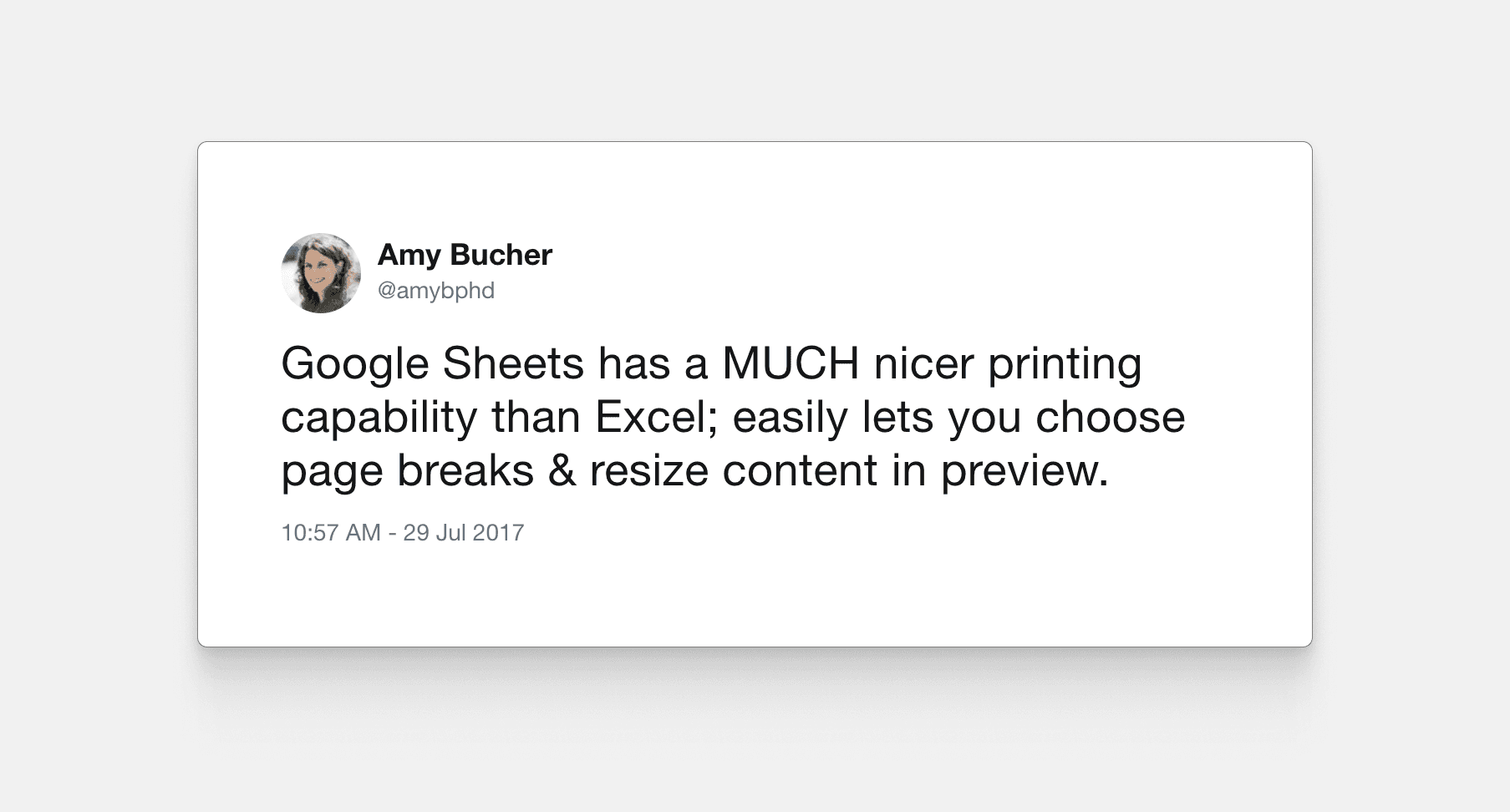
Before 2017, 70% of the top feature requests for the Docs Editors Suite were related to printing in Google Sheets. These gaps were a major adoption blocker that kept key enterprises from migrating from Microsoft Office to Google Docs.
At the time, the Sheets print experience was bare bones, with few to no settings controls, “take-what-you-get” scale and margin options, zero customization, and, most frustratingly, no Sheets-based preview. Customers would export CSVs from Sheets to print in Excel.
Company
Google Sheets
Role
Lead designer
Year
2017

A clearer, more powerful, customizable print UX for Google Sheets
Problem
Before 2017, 70% of the top feature requests for the Docs Editors Suite were related to printing in Google Sheets. These gaps were a major adoption blocker that kept key enterprises from migrating from Microsoft Office to Google Docs.
At the time, the Sheets print experience was bare bones, with few to no settings controls, “take-what-you-get” scale and margin options, zero customization, and, most frustratingly, no Sheets-based preview. Customers would export CSVs from Sheets to print in Excel.
Company
Google Sheets
Role
Lead designer
Year
2017

A clearer, more powerful, customizable print UX for Google Sheets
Problem
Before 2017, 70% of the top feature requests for the Docs Editors Suite were related to printing in Google Sheets. These gaps were a major adoption blocker that kept key enterprises from migrating from Microsoft Office to Google Docs.
At the time, the Sheets print experience was bare bones, with few to no settings controls, “take-what-you-get” scale and margin options, zero customization, and, most frustratingly, no Sheets-based preview. Customers would export CSVs from Sheets to print in Excel.
Company
Google Sheets
Role
Lead designer
Year
2017


My role
I owned the end-to-end design from discovery through launch, partnering with PMs and engineers to balance user expectations against what was actually shippable. The challenge wasn't just designing print layouts—it was understanding when "good enough now" beat "perfect eventually," and building foundations that wouldn't collapse as the feature matured.
My role
I owned the end-to-end design from discovery through launch, partnering with PMs and engineers to balance user expectations against what was actually shippable. The challenge wasn't just designing print layouts—it was understanding when "good enough now" beat "perfect eventually," and building foundations that wouldn't collapse as the feature matured.
My role
I owned the end-to-end design from discovery through launch, partnering with PMs and engineers to balance user expectations against what was actually shippable. The challenge wasn't just designing print layouts—it was understanding when "good enough now" beat "perfect eventually," and building foundations that wouldn't collapse as the feature matured.

1
2
4
6
7
8
5
9
Research
Early in the process, we collected feedback from sales, online forums, and everyday users. This began as a way to solve a series of user pain points, but we wanted to understand user-needs better to help us prioritize and determine what was essential versus nice to have.
We validated designs through usability tests at each phase, from early concepts through high-fidelity prototypes to post-launch metrics.
Research
Early in the process, we collected feedback from sales, online forums, and everyday users. This began as a way to solve a series of user pain points, but we wanted to understand user-needs better to help us prioritize and determine what was essential versus nice to have.
We validated designs through usability tests at each phase, from early concepts through high-fidelity prototypes to post-launch metrics.
Research
Early in the process, we collected feedback from sales, online forums, and everyday users. This began as a way to solve a series of user pain points, but we wanted to understand user-needs better to help us prioritize and determine what was essential versus nice to have.
We validated designs through usability tests at each phase, from early concepts through high-fidelity prototypes to post-launch metrics.
People print for
People print for
People print for
Comfort
Easy sharing
Editing offline
Note scribbling
Legacy workflows
Comfort
Easy sharing
Editing offline
Note scribbling
Legacy workflows
Comfort
Easy sharing
Editing offline
Note scribbling
Legacy workflows


Settings and pagination
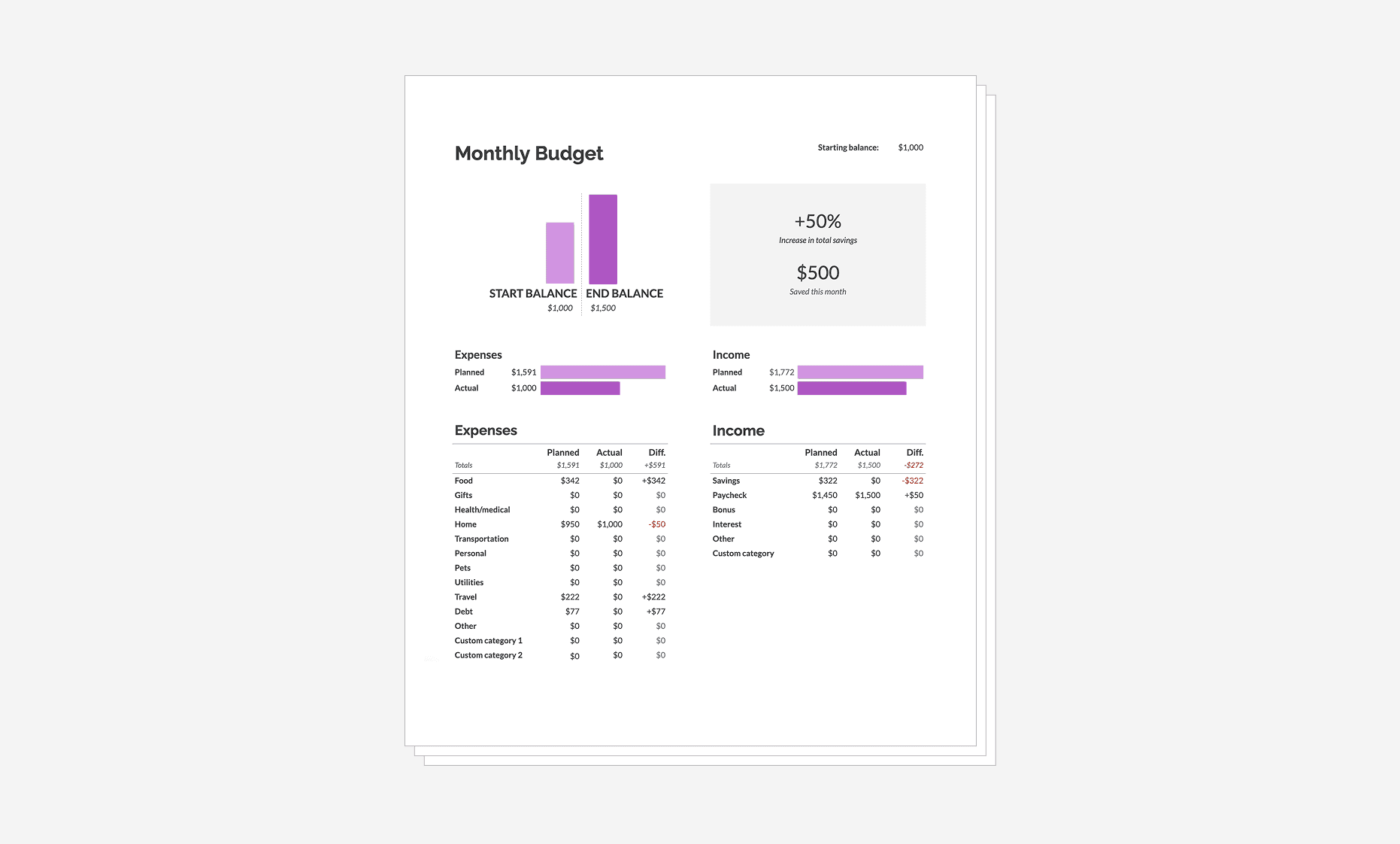
Spreadsheets don’t simply translate a screen’s view into a page-based view. They differ from printed documents or slides, where the translation is closer to one-to-one. Instead, several factors shape what’s output in spreadsheets, affecting data readability, the mapping of rows and columns to headers (such as frozen rows and columns), and how elements are distributed across multiple pages.
The best-case scenario is when a spreadsheet is small enough to fit everything on one page and still be readable. When there’s too much data and this is not possible, it requires pagination. Pagination introduces design and UX challenges connected to the shape of data and the quirks of user preferences.
Settings and pagination
Spreadsheets don’t simply translate a screen’s view into a page-based view. They differ from printed documents or slides, where the translation is closer to one-to-one. Instead, several factors shape what’s output in spreadsheets, affecting data readability, the mapping of rows and columns to headers (such as frozen rows and columns), and how elements are distributed across multiple pages.
The best-case scenario is when a spreadsheet is small enough to fit everything on one page and still be readable. When there’s too much data and this is not possible, it requires pagination. Pagination introduces design and UX challenges connected to the shape of data and the quirks of user preferences.
Settings and pagination
Spreadsheets don’t simply translate a screen’s view into a page-based view. They differ from printed documents or slides, where the translation is closer to one-to-one. Instead, several factors shape what’s output in spreadsheets, affecting data readability, the mapping of rows and columns to headers (such as frozen rows and columns), and how elements are distributed across multiple pages.
The best-case scenario is when a spreadsheet is small enough to fit everything on one page and still be readable. When there’s too much data and this is not possible, it requires pagination. Pagination introduces design and UX challenges connected to the shape of data and the quirks of user preferences.

Quick and custom scale
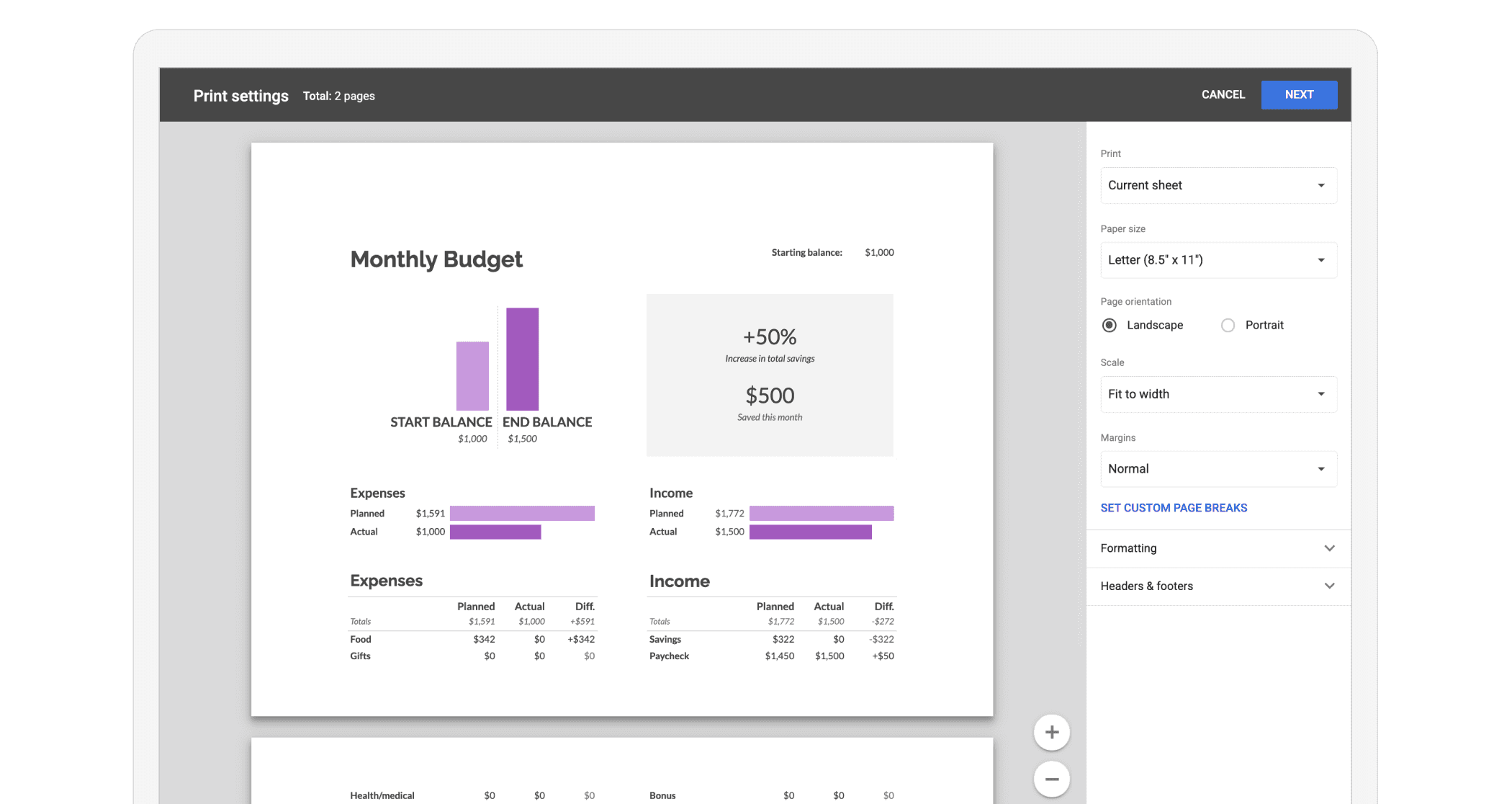
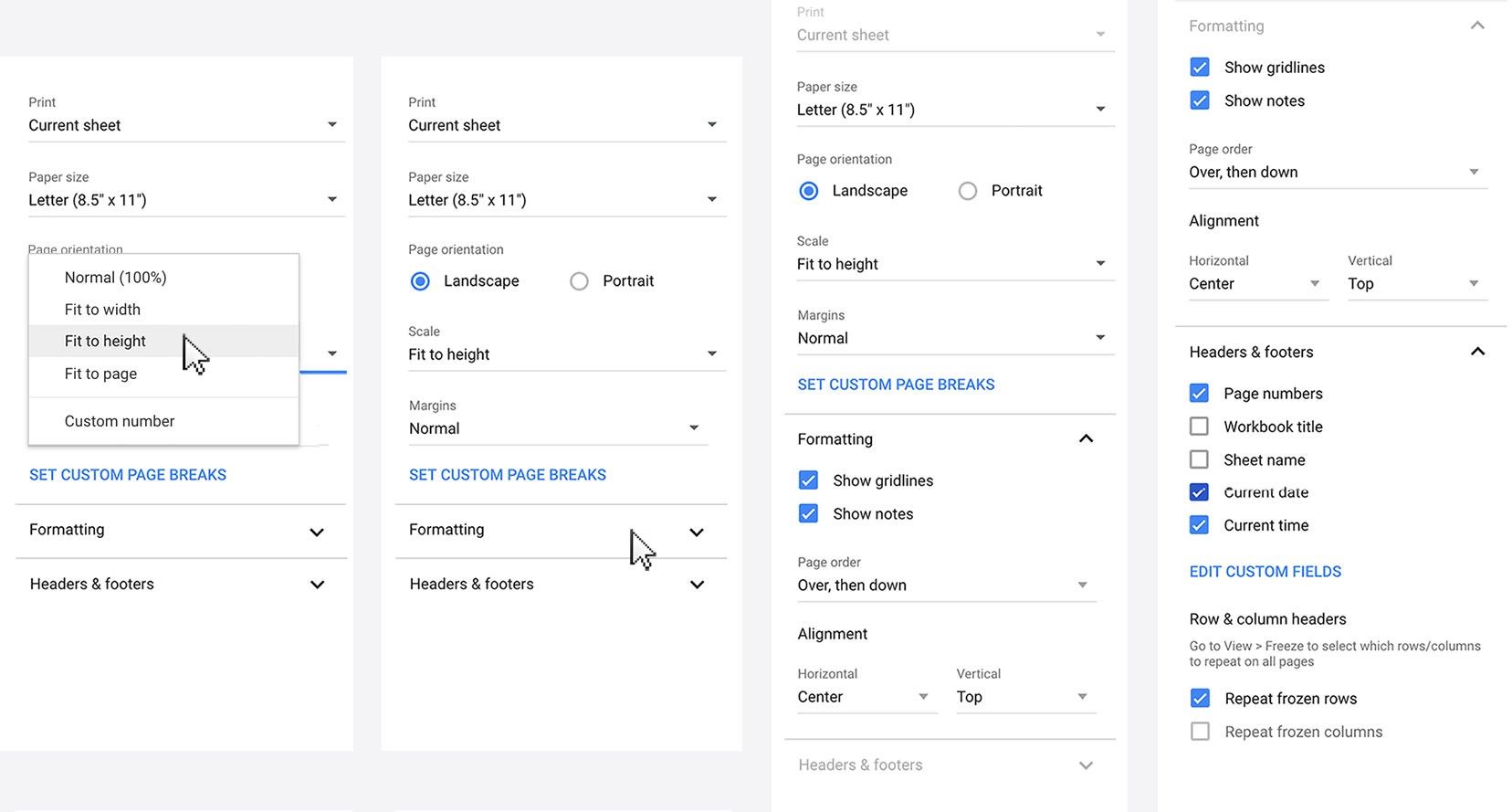
Scale and pagination are closely interconnected when printing spreadsheets. We prioritized fast scale options like “Fit to width” and “Fit to height” to focus information all in one place, but also enabled custom scale number input for when those options aren’t a good enough to meet user needs.

Quick and custom scale
Scale and pagination are closely interconnected when printing spreadsheets. We prioritized fast scale options like “Fit to width” and “Fit to height” to focus information all in one place, but also enabled custom scale number input for when those options aren’t a good enough to meet user needs.

Quick and custom scale
Scale and pagination are closely interconnected when printing spreadsheets. We prioritized fast scale options like “Fit to width” and “Fit to height” to focus information all in one place, but also enabled custom scale number input for when those options aren’t a good enough to meet user needs.

Margins
We provided simple margin defaults like “Normal,” “Narrow,” and “Wide.” But for cases where those options weren’t flexible enough, we added a custom margin creator. This feature supports asymmetrical margin setups, such as when users wanted extra space to scribble notes in the margins. Users can either drag the margin lines manually or enter exact values for precise control.

Margins
We provided simple margin defaults like “Normal,” “Narrow,” and “Wide.” But for cases where those options weren’t flexible enough, we added a custom margin creator. This feature supports asymmetrical margin setups, such as when users wanted extra space to scribble notes in the margins. Users can either drag the margin lines manually or enter exact values for precise control.

Margins
We provided simple margin defaults like “Normal,” “Narrow,” and “Wide.” But for cases where those options weren’t flexible enough, we added a custom margin creator. This feature supports asymmetrical margin setups, such as when users wanted extra space to scribble notes in the margins. Users can either drag the margin lines manually or enter exact values for precise control.

Headers to improve wayfinding
It’s easy to get lost in multi-page spreadsheets. To help, we introduced a way to insert key document details such as page numbers, sheet names, and dates into spreadsheet headers and footers to improve wayfinding.
There are two ways to do this. The quick option uses checkboxes with default placements. The advanced option offers a fully customizable widget builder.

Headers to improve wayfinding
It’s easy to get lost in multi-page spreadsheets. To help, we introduced a way to insert key document details such as page numbers, sheet names, and dates into spreadsheet headers and footers to improve wayfinding.
There are two ways to do this. The quick option uses checkboxes with default placements. The advanced option offers a fully customizable widget builder.

Headers to improve wayfinding
It’s easy to get lost in multi-page spreadsheets. To help, we introduced a way to insert key document details such as page numbers, sheet names, and dates into spreadsheet headers and footers to improve wayfinding.
There are two ways to do this. The quick option uses checkboxes with default placements. The advanced option offers a fully customizable widget builder.


Custom page breaks
We created a Custom Page Breaks builder option for complex page break situations. It allows users to set exactly where pages begin and end. This is useful for sheets containing multiple tables or embedded objects like charts that follow a more landmark-based approach to data organization.
Unlike Excel, we centralized this experience within Print settings, improving discoverability and enabling responsive adjustments to fine-tune the page layout in preview.
Custom page breaks
We created a Custom Page Breaks builder option for complex page break situations. It allows users to set exactly where pages begin and end. This is useful for sheets containing multiple tables or embedded objects like charts that follow a more landmark-based approach to data organization.
Unlike Excel, we centralized this experience within Print settings, improving discoverability and enabling responsive adjustments to fine-tune the page layout in preview.
Custom page breaks
We created a Custom Page Breaks builder option for complex page break situations. It allows users to set exactly where pages begin and end. This is useful for sheets containing multiple tables or embedded objects like charts that follow a more landmark-based approach to data organization.
Unlike Excel, we centralized this experience within Print settings, improving discoverability and enabling responsive adjustments to fine-tune the page layout in preview.


The impact
The launch was well received by enterprise users and the wider Sheets community. It reduced a key barrier to Google Workspace adoption and directly helped land enterprise clients like Verizon and Whirlpool, who transitioned from Microsoft Office to Google Workspace.
The impact
The launch was well received by enterprise users and the wider Sheets community. It reduced a key barrier to Google Workspace adoption and directly helped land enterprise clients like Verizon and Whirlpool, who transitioned from Microsoft Office to Google Workspace.
The impact
The launch was well received by enterprise users and the wider Sheets community. It reduced a key barrier to Google Workspace adoption and directly helped land enterprise clients like Verizon and Whirlpool, who transitioned from Microsoft Office to Google Workspace.
▲
4x increase
4x increase
4x increase
In Sheets print usage
▲
1+ million
1+ million
1+ million
Daily users worldwide
▲
Fixed 70%
Fixed 70%
Fixed 70%
Of top enterprise user-problems collected by sales